Appcircle MCP Server
The Appcircle MCP Server exposes Appcircle platform capabilities through the Model Context Protocol (MCP), enabling AI assistants and development tools to interact with your Appcircle organization, builds, and workflows directly from your IDE or CLI.
The Model Context Protocol is an open protocol that lets AI models securely connect to external tools and data sources. The Appcircle MCP server allows AI tools to connect Appcircle resources.

How MCP works
The Appcircle MCP Server acts as a bridge between MCP-capable clients (such as Claude Applications, Codex, Cursor, or VS Code) and the Appcircle platform. Your AI assistant sends requests through the client; the client talks to the MCP server; the server calls Appcircle's APIs and returns structured data. This lets you query builds, profiles, signing identities, distribution status, publish status, and reports using natural language or tool call.
Use cases
- CI/CD and workflow intelligence: Monitor pipeline runs, track release status, and get insights into your mobile CI/CD workflows.
- Configuration and environment insights: Query build configurations and signing setup to understand how a project is configured and where issues may originate.
- Reporting and operational insights: Generate summaries of CI stability, recurring issues, pipeline performance, and overall CI/CD health and more.
Toolsets
The server exposes the following toolsets. Each toolset groups related tools (for example, listing build profiles, getting workflow details, or fetching reports).
| Toolset | Description |
|---|---|
build_module | Build profiles, configurations, workflows, commits, and pipeline operations |
signing_identities | Signing Identities: certificates, bundle identifiers, keystores |
testing_distribution | Testing distribution profiles and distribution details |
publish_to_stores | Publish profiles and store publishing operations |
enterprise_app_store | Enterprise app store profiles and store details |
report | Reporting: build history, distribution, signing, publish status, and related reports |
You can exclude one or more toolsets when running the server (via environment variable or CLI) so that only the tools you need are exposed. See how you can exclude toolsets.
Tools
Build
| Tool | Description | Permission |
|---|---|---|
get_build_profiles | List build profiles for the current organization (paginated), excluding sensitive profile keys. | Viewer |
get_build_profile_details | Get details for a single build profile, optionally including its build configurations. | Viewer |
get_build_configuration_details | Get details for a single build configuration under a given build profile. | Viewer |
get_build_profile_workflows | List workflows associated with a build profile. | Viewer |
get_workflow_detail | Get details and YAML definition for a single workflow in a build profile. | Viewer |
get_commits_by_branch | List commits for a build branch, with optional pagination metadata. | Viewer |
get_commit_details | Get detailed information for a single commit by ID or commit hash. | Viewer |
Signing Identities
| Tool | Description | Permission |
|---|---|---|
get_bundle_identifiers | List bundle identifiers (iOS/macOS app bundle IDs) registered in Appcircle. | Viewer |
get_certificates | List signing certificates for the organization, omitting sensitive fields. | Viewer |
get_keystores | List keystores (e.g. Android signing keystores), omitting sensitive fields. | Viewer |
get_provisioning_profiles | List provisioning profiles, optionally filtered by app/bundle ID, omitting sensitive fields. | Viewer |
Testing Distribution
| Tool | Description | Permission |
|---|---|---|
get_distribution_profiles | List testing distribution profiles for the current organization (paginated), omitting sensitive settings. | Viewer |
get_distribution_profile_details | Get details for a single distribution profile, including paginated app versions, omitting sensitive settings. | Viewer |
Publish to Stores
| Tool | Description | Permission |
|---|---|---|
get_publish_profiles | List publish profiles for a given platform (iOS/Android), with pagination and optional flow-status filtering. | Viewer |
get_publish_profile_details | Get details for a single publish profile (iOS/Android), including paginated app versions, omitting certificate thumbprints. | Viewer |
Enterprise App Store
| Tool | Description | Permission |
|---|---|---|
get_store_profiles | List enterprise app store profiles for the current organization (paginated). | Viewer |
get_store_profile_details | Get details for a single enterprise app store profile, including paginated app versions, omitting certificate thumbprints. | Viewer |
Report
| Tool | Description | Permission |
|---|---|---|
get_build_history_report | Get build history report with pagination and optional filters (date range, build profile, organization). | Viewer |
get_signing_report | Get signing report with pagination and optional filters (date range, organization, OS, build status). | Viewer |
get_distribution_app_version_report | Get daily usage report for distributed app versions with pagination and filters (date range, profile, OS, organization). | Viewer |
get_distribution_sent_report | Get daily usage report for distributed app sharing with pagination and filters (date range, profile, OS, organization). | Viewer |
get_enterprise_app_store_app_usage_report | Get app usage report for the enterprise app store with pagination and optional organization filter. | Viewer |
get_publish_status_report | Get publish status report with pagination and optional filters (date range, app name, organization, status). | Viewer |
get_publish_resign_report | Get publish resign report with pagination and optional filters (date range, app name, organization, status). | Viewer |
Supported Clients
The Appcircle MCP Server works with any MCP-capable client. Installation and client-specific setup (including how to add the server and configure your token) are documented in the Installation Guides.
- Claude Applications (Claude Desktop, Claude Code)
- Cursor IDE
- Codex (App and CLI)
- Antigravity IDE
- VS Code (GitHub Copilot)
- Windsurf IDE
- Gemini CLI
- GitHub Copilot CLI
Follow the guide for your client to install or connect to the Appcircle MCP Server and to set your Appcircle access token.
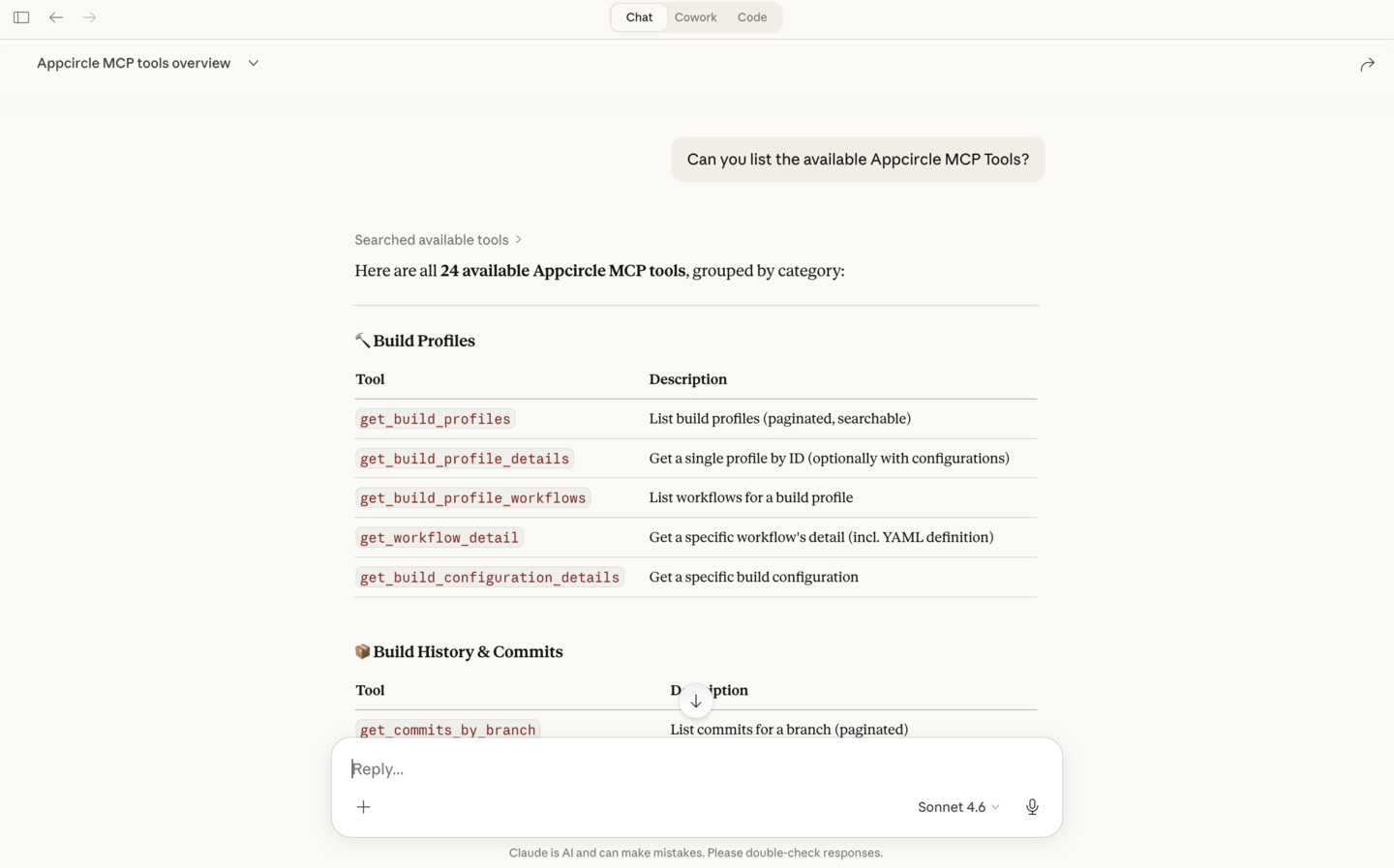
You can see the available tools in your MCP client after the Appcircle MCP server is configured. The client lists the tools the server provides; you or the AI can then call them to fetch Build profiles, distribution details, reports, and more.
Authentication
To use the Appcircle MCP Server, you need an Appcircle Access Token. This token authenticates requests to Appcircle's APIs and is required for all running modes (stdio, streamable-http, or when connecting to the remote host at https://mcp.appcircle.io).
There are two ways to obtain an access token. For step-by-step instructions on creating and exchanging credentials for a token:
- Personal Access Key: Best for individual use; inherits your user permissions in the organization.
- API Keys: Best for automation and CI; scoped by organization and roles.
Both produce an access token that you use as APPCIRCLE_ACCESS_TOKEN in your environment or pass via your MCP client (for example, Authorization: Bearer <token>).
When creating the token (either method), restrict write access if you only need read-only MCP usage. For example, listing Build profiles, Distribution profiles, or Reports. Grant write permissions only when you want the AI or your client to trigger builds or change settings. For API Keys, use Viewer (or read-only) roles for the relevant modules. For Personal Access Key, your user role in the organization applies; use an account or role with read-only access if you do not need write operations.
FAQ
Do I need write access to use the Appcircle MCP?
No. Read-only access is enough for listing builds, profiles, and reports. Grant write access only if you want the AI or your client to trigger builds or change settings. When creating an API Key, use Viewer (or read-only) roles for the relevant modules. When using a Personal Access Key, your user role in the organization applies.
Do I need to install the Appcircle MCP server locally?
No. You can connect to the remote host at https://mcp.appcircle.io and send your Appcircle token with each request; no local install is required. If you prefer to run the server locally (stdio, streamable-http, or Docker), see the documentation for running modes and client configuration.
Where do I find installation steps for my Appcircle MCP client?
Client-specific installation and setup guides are in the Installation Guides. Follow the guide for your client (Claude, Cursor, Codex, VS Code, etc.) to add the Appcircle MCP Server and configure your token.